Today, there is a growing ecosystem of Agent Frameworks such as CrewAI, LangGraph, Strands Agents, Microsoft Agent Framework, Google ADK, OpenAI Agents, Pydantic AI, Deep Agents and others that make it remarkably easy to build and orchestrate AI agents. These frameworks provide powerful abstractions for LLM orchestration, prompt management, and workflow design, enabling developers to move from idea to prototype quickly.
However, while they excel at accelerating development, they often fall short when it comes to real-world production challenges. Building an agent is only the first step—operating it reliably at scale is an entirely different problem.
In production environments, failures are inevitable. Tasks can partially execute, dependencies may become unavailable, and distributed systems introduce complexities like retries, race conditions, and duplicate executions. Most frameworks do not fully address these concerns. Even when basic checkpointing is available, developers are still responsible for implementing failure detection, designing recovery strategies, and coordinating safe resumption across instances.
This gap highlights the need for additional infrastructure to ensure resilience, observability, and reliable execution. This is where Dapr Agents come in, addressing these challenges by providing built-in capabilities for state management, fault tolerance, and distributed coordination—helping make agents truly production-ready.
Rather than discarding your existing investments in agent frameworks and rebuilding everything with Dapr Agents, Agent Integrations are designed to augment and enhance your current solutions. They seamlessly integrate with existing agentic frameworks, adding the missing production-grade capabilities such as resilience, state management, and reliable execution. This approach allows you to retain the strengths of your chosen frameworks while extending them to meet real-world operational demands. At present, Dapr Agent Integrations are compatible with several frameworks, including CrewAI, LangGraph, Strands Agent, Microsoft Agent Framework, Google ADK, OpenAI Agents, Pydantic AI and Deep Agents.
In this blog post, I will focus on how to use Dapr Agent Integrations with agents built using the Microsoft Agent Framework.
Prerequisites
-
Dapr
-
Docker for Deskop
-
GitHub Models API token
-
Diagrid Dashboard
- It runs locally and provides a live dashboard for Dapr workflows and durable agents. It enables inspection of the underlying workflow state and historical execution data.
-
Microsoft Agent Framework Project Template
# Use the following command in your terminal to install a project template.
dotnet new install Microsoft.Agents.AI.ProjectTemplates::1.0.0-preview.1.26160.2
# Use the following command to check whether the template is available. dotnet new list Agent These templates matched your input: 'Agent' Template Name Short Name Language Tags ---------------- -------------- -------- ---------------------------------------- AI Agent Web API aiagent-webapi [C#] Common/AI/API/Web/Web API/WebAPI/Service
Demo App
The demo application is based on aiagent-webapi template, which includes multiple agents and a tool designed to demonstrate the basic capabilities of the Microsoft Agent Framework, including workflow orchestration. The application will be further enhanced with .NET Aspire support and Dapr Agent Integrations. The aiagent-webapi project template provides various options to choose framework, provider, managed-identity and chat-model.
dotnet new aiagent-webapi --help
AI Agent Web API (C#)
Author: Microsoft
Description: A project template for creating an AI Agent Web API application.

Usage:
  dotnet new aiagent-webapi [options] [template options]

Options:
  -n, --name <name>       The name for the output being created. If no name is specified, the name of the output directory is used.
  -o, --output <output>   Location to place the generated output.
  --dry-run               Displays a summary of what would happen if the given command line were run if it would result in a template creation. [default: False]
  --force                 Forces content to be generated even if it would change existing files. [default: False]
  --no-update-check       Disables checking for the template package updates when instantiating a template. [default: False]
  --project <project>     The project that should be used for context evaluation.
  -lang, --language <C#>  Specifies the template language to instantiate.
  --type <project>        Specifies the template type to instantiate.

Template options:
  -f, --framework <net10.0|net8.0|net9.0>              The target framework for the project.
                                                       Type: choice
                                                         net10.0  .NET 10
                                                         net9.0   .NET 9
                                                         net8.0   .NET 8
                                                       Default: net10.0
  --provider <azureopenai|githubmodels|ollama|openai>  Type: choice
                                                         azureopenai   Uses Azure OpenAI service
                                                         githubmodels  Uses GitHub Models
                                                         ollama        Uses Ollama with the llama3.2 model
                                                         openai        Uses the OpenAI Platform
                                                       Default: githubmodels
  --managed-identity                                   Use managed identity to access Azure services
                                                       Enabled if: (AiServiceProvider == "azureopenai")
                                                       Type: bool
                                                       Default: true
  --chat-model <chat-model>                            Model/deployment for chat completions. Example: gpt-4o-mini
                                                       Type: string
Let's begin
First, create a folder named AspireWithDapr. Then, either use the CLI option (refer to the code snippet below) or select Create .NET Project, choose, the AI Agent Web API project template, and name the project AspireWithDapr.ApiService.
dotnet new aiagent-webapi -n AspireWithDapr.ApiService Once the project is created, add the required .NET Aspire projects, such as AppHost and ServiceDefaults, following the same naming convention: AspireWithDapr.AppHost and AspireWithDapr.ServiceDefaults, respectively.
The resulting structure should resemble the following:
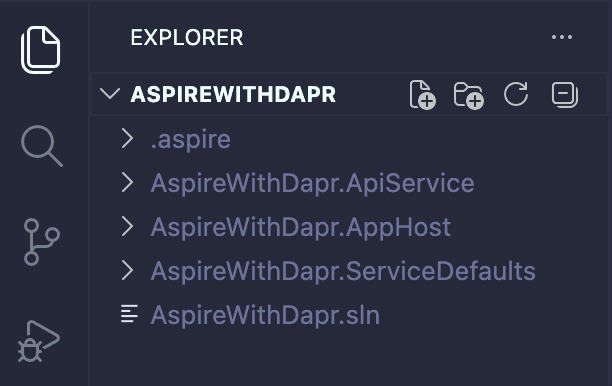
ApiService
Start by adding the following two NuGet packages and updating Program.cs to utilize Diagrid Agent Integrations capabilities, including exposing an endpoint to access the API.
dotnet add package Diagrid.AI.Microsoft.AgentFramework --version 1.0.2Diagrid.AI.Microsoft.AgentFramework is a library that facilitates building agents using Microsoft's Agent Framework atop Dapr's Durable Workflows.
dotnet add package Swashbuckle.AspNetCore --version 10.1.5Generate beautiful API documentation, including a UI to explore and test operations, directly from your endpoints, routes, controllers and models.
// Program.cs
using System.ClientModel;
using System.ComponentModel;
using Diagrid.AI.Microsoft.AgentFramework.Abstractions;
using Diagrid.AI.Microsoft.AgentFramework.Hosting;
using Microsoft.Agents.AI;
using Microsoft.Agents.AI.DevUI;
using Microsoft.Agents.AI.Hosting;
using Microsoft.Agents.AI.Workflows;
using Microsoft.Extensions.AI;
using OpenAI;
using OpenAI.Chat;

var builder = WebApplication.CreateBuilder(args);

builder.AddServiceDefaults();

var chatClient = new ChatClient(
        "gpt-4o-mini",
        new ApiKeyCredential(builder.Configuration["GITHUB_TOKEN"] ?? throw new InvalidOperationException("Missing configuration: GITHUB_TOKEN")),
        new OpenAIClientOptions { Endpoint = new Uri("https://models.inference.ai.azure.com") })
    .AsIChatClient();

builder.Services.AddChatClient(chatClient);

builder.AddAIAgent("writer", "You write short stories (300 words or less) about the specified topic.");

builder.AddAIAgent("editor", (sp, key) => new ChatClientAgent(
    chatClient,
    name: key,
    instructions: "You edit short stories to improve grammar and style, ensuring the stories are less than 300 words. Once finished editing, you select a title and format the story for publishing.",
    tools: [AIFunctionFactory.Create(FormatStory)]
));

builder.AddWorkflow("publisher", (sp, key) => AgentWorkflowBuilder.BuildSequential(
    workflowName: key,
    agents:
    [
        sp.GetRequiredKeyedService<AIAgent>("writer"),
        sp.GetRequiredKeyedService<AIAgent>("editor")
    ]
)).AddAsAIAgent("publisher");

// Register the existing MAF agents with Diagrid
builder.Services.AddDaprAgents()
    .WithAgent(sp => sp.GetRequiredKeyedService<AIAgent>("writer"))
    .WithAgent(sp => sp.GetRequiredKeyedService<AIAgent>("editor"))
    .WithAgent(sp => sp.GetRequiredKeyedService<AIAgent>("publisher"));

builder.Services.AddEndpointsApiExplorer();
builder.Services.AddSwaggerGen();

builder.Services.AddOpenAIResponses();
builder.Services.AddOpenAIConversations();

var app = builder.Build();
app.UseHttpsRedirection();

app.MapOpenAIResponses();
app.MapOpenAIConversations();

// Dapr Agent Invoker wraps agent invocation in a Durable workflow without explicit workflow needed.
app.MapPost("/agent/chat", async (IDaprAgentInvoker invoker, RunRequest request, CancellationToken cancellationToken) =>
{
    if (string.IsNullOrWhiteSpace(request.Prompt))
    {
        return Results.ValidationProblem(new Dictionary<string, string[]>
        {
            [nameof(request.Prompt)] = ["Prompt is required."]
        });
    }

    try
    {
        var agent = invoker.GetAgent(request.AgentName);
        var result = await invoker.RunAgentAsync(agent, request.Prompt, cancellationToken: cancellationToken);
        return Results.Ok(new { agent = request.AgentName, response = result.Text });
    }
    catch (InvalidOperationException)
    {
        return Results.BadRequest(new
        {
            error = $"Unknown agent '{request.AgentName}'.",
            availableAgents = new[] { "writer", "editor", "publisher" }
        });
    }
});

if (builder.Environment.IsDevelopment())
{
    app.UseSwagger();
    app.UseSwaggerUI();
    app.MapDevUI();
}

app.Run();

[Description("Formats the story for publication, revealing its title.")]
string FormatStory(string title, string story) => $"""
    **Title**: {title}

    {story}
    """;
sealed record RunRequest(string Prompt, string AgentName = "publisher");
AppHost
Add CommunityToolkit.Aspire.Hosting.Dapr NuGet package and update AppHost.cs to include Diagrid Dashboard and RedisInsight, and to reference the local state store in the Dapr sidecar.
dotnet add package CommunityToolkit.Aspire.Hosting.Dapr --version 13.0.0// AppHpst.cs
using CommunityToolkit.Aspire.Hosting.Dapr;
var builder = DistributedApplication.CreateBuilder(args);
// Diagrid Dashboard for Dapr Agent & Worflow Visualization
var diagridDashboard = builder.AddContainer("diagrid-dashboard", "ghcr.io/diagridio/diagrid-dashboard", "latest")
.WithHttpEndpoint(8080, 8080, name: "dashboard");
// Add RedisInsight GUI for Redis data visualization
var redisInsight = builder.AddContainer("redisinsight", "redislabs/redisinsight", "latest")
.WithHttpEndpoint(8001, 8001)
.WithEnvironment("RI_APP_PORT", "8001")
.WithEnvironment("RI_HOST", "0.0.0.0")
.WithBindMount(Path.Combine(builder.AppHostDirectory, "redisinsight-data"), "/data");
// Local State Store path
var stateStorePath = Path.Combine(
Environment.GetFolderPath(Environment.SpecialFolder.UserProfile),
".dapr",
"components",
"statestore.yaml");
if (!File.Exists(stateStorePath))
{
throw new FileNotFoundException(
"The default Dapr state store was not found. Run `dapr init` before starting the AppHost.",
stateStorePath);
}
// Local State Store for Dapr
var stateStore = builder.AddDaprStateStore("statestore", new DaprComponentOptions
{
LocalPath = stateStorePath
});
// Dapr API Service with sidecar configuration and reference to the state store
builder.AddProject<Projects.AspireWithDapr_ApiService>("apiservice")
.WithDaprSidecar(sidecar =>
{
sidecar.WithOptions(new DaprSidecarOptions
{
AppId = "apiservice"
});
sidecar.WithReference(stateStore);
})
.WithExternalHttpEndpoints();
builder.Build().Run();As both ApiService and AppHost are now ready, we can proceed with running the application.
Let’s run the application
aspire runIn the terminal output, select the Dashboard link to launch the Aspire Dashboard. From there, you can navigate to the Diagrid Dashboard, RedisInsight UI, and the ApiService Dev UI (Default).
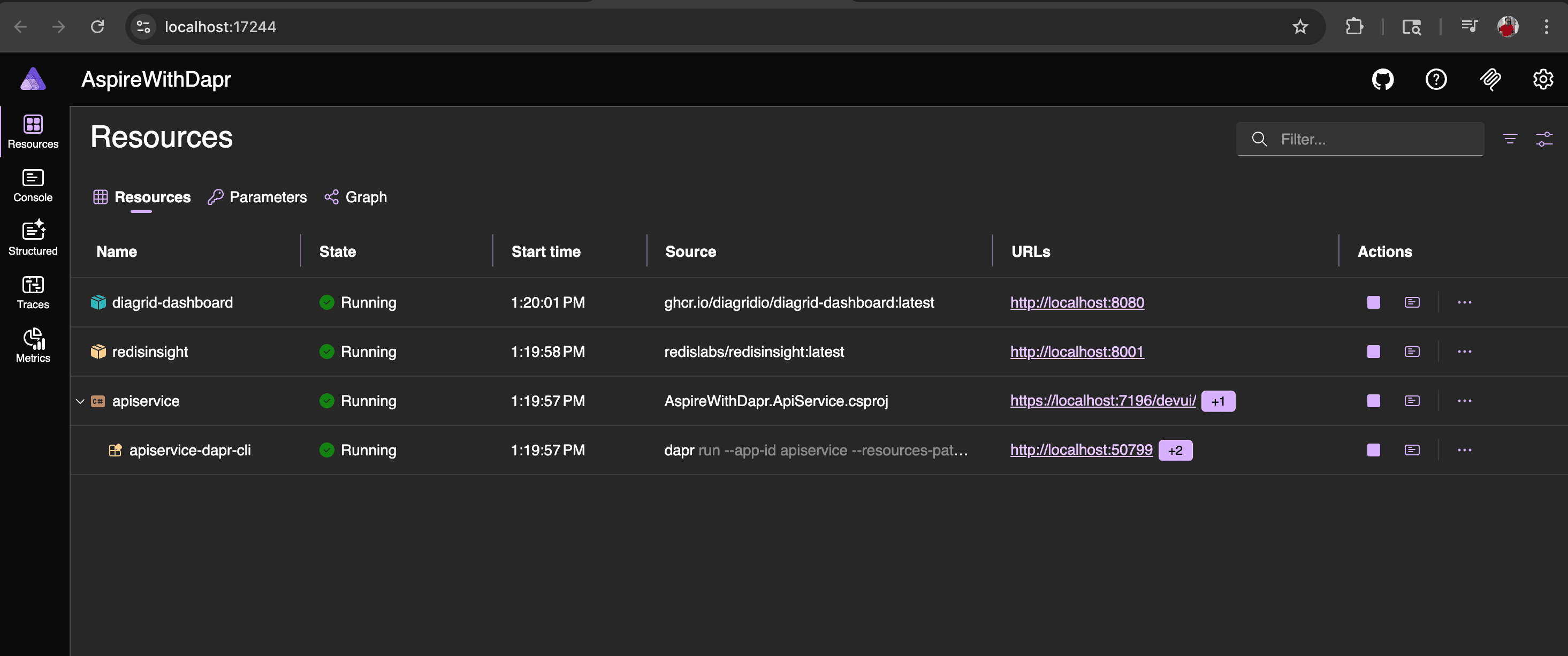
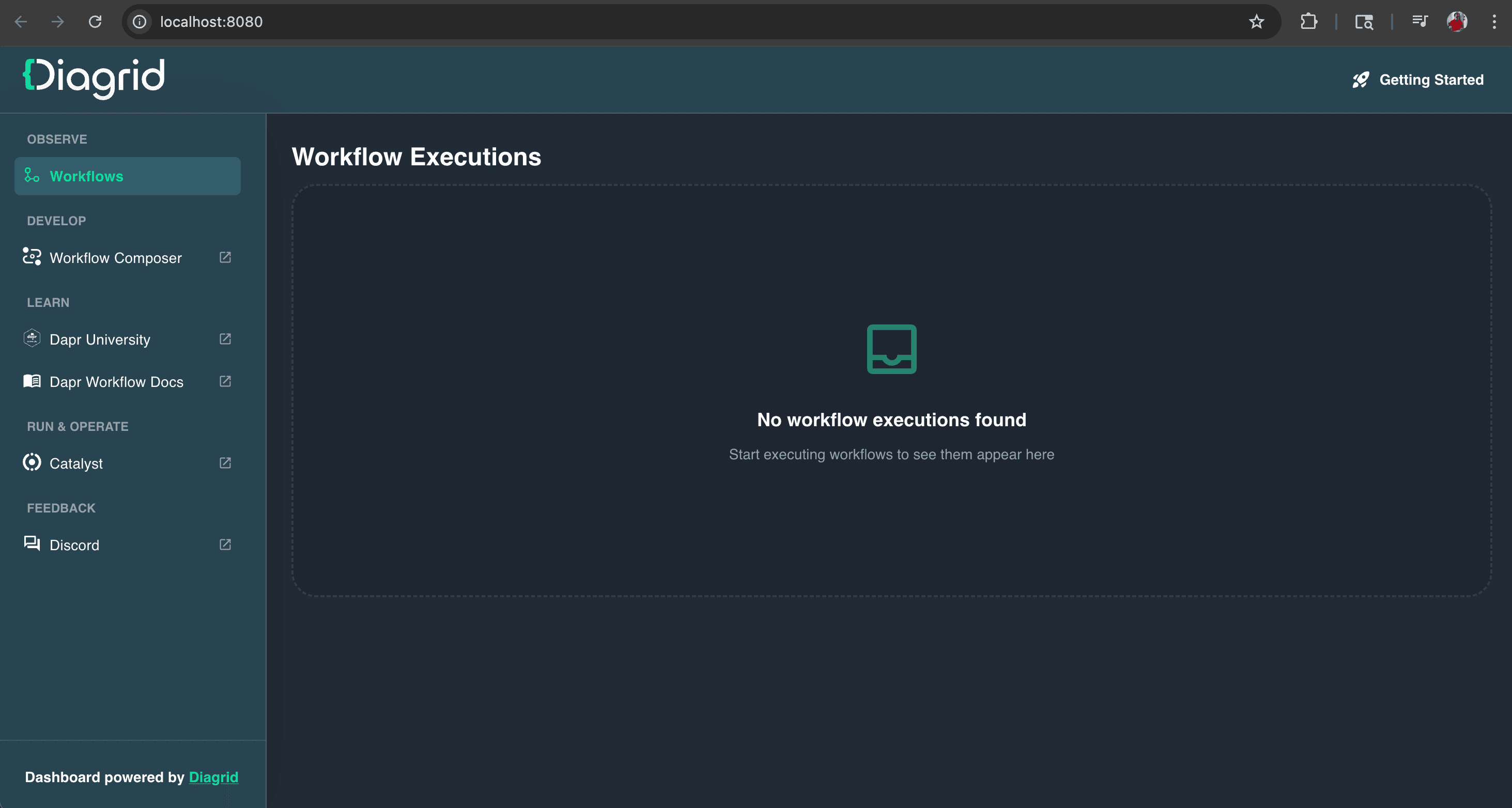
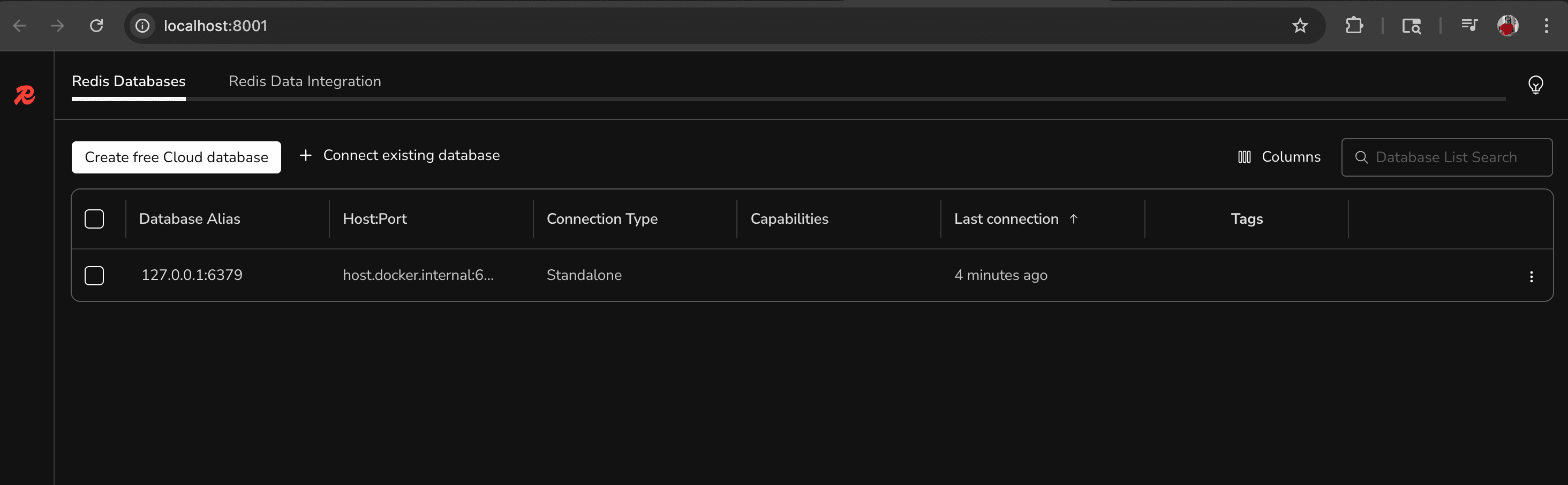
The Dev UI is an interactive, local developer interface in the Microsoft Agent Framework that helps debug, test, and visualize agent and workflow execution during development. It is a sample application and should not be used in production.
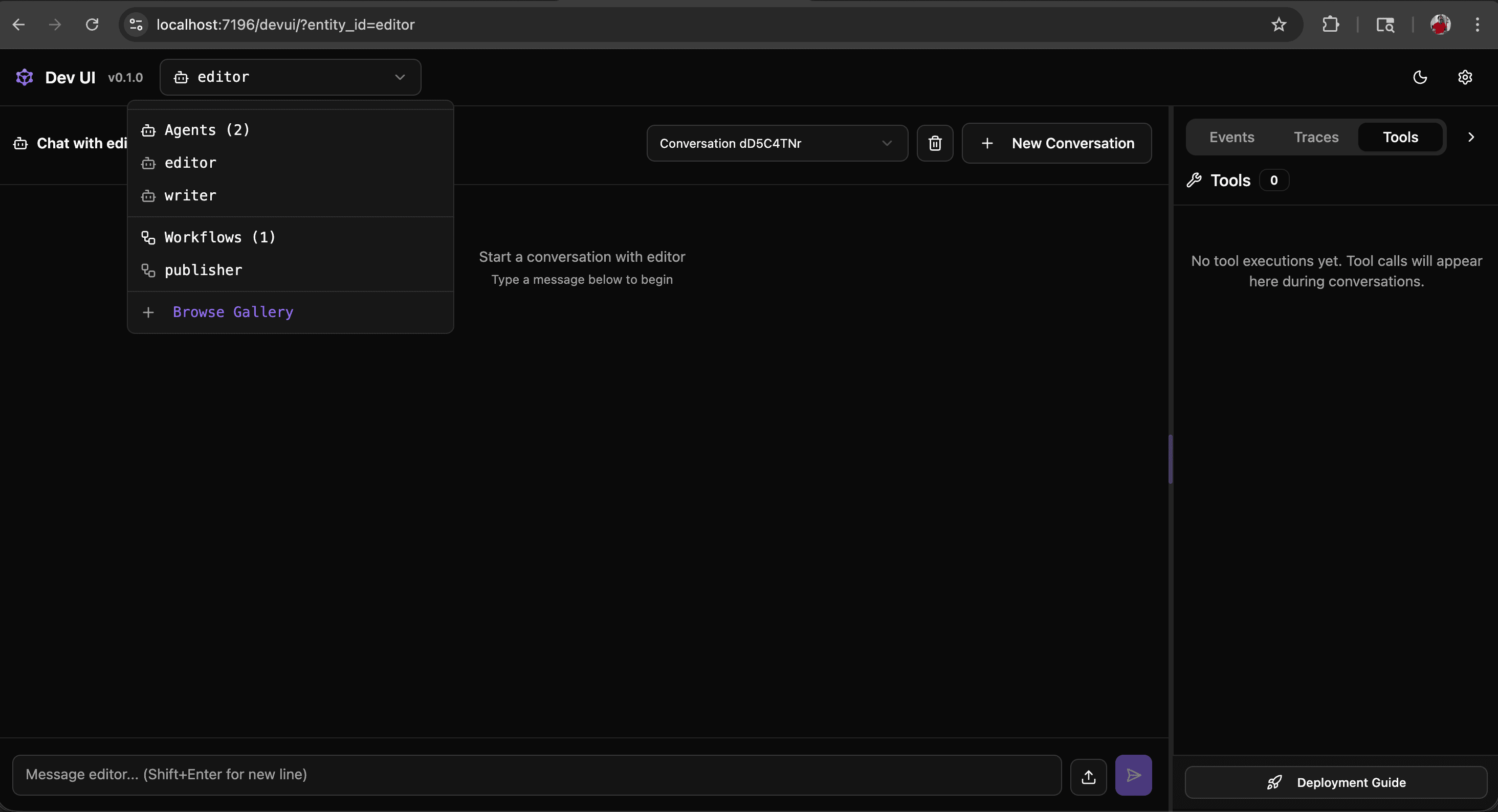
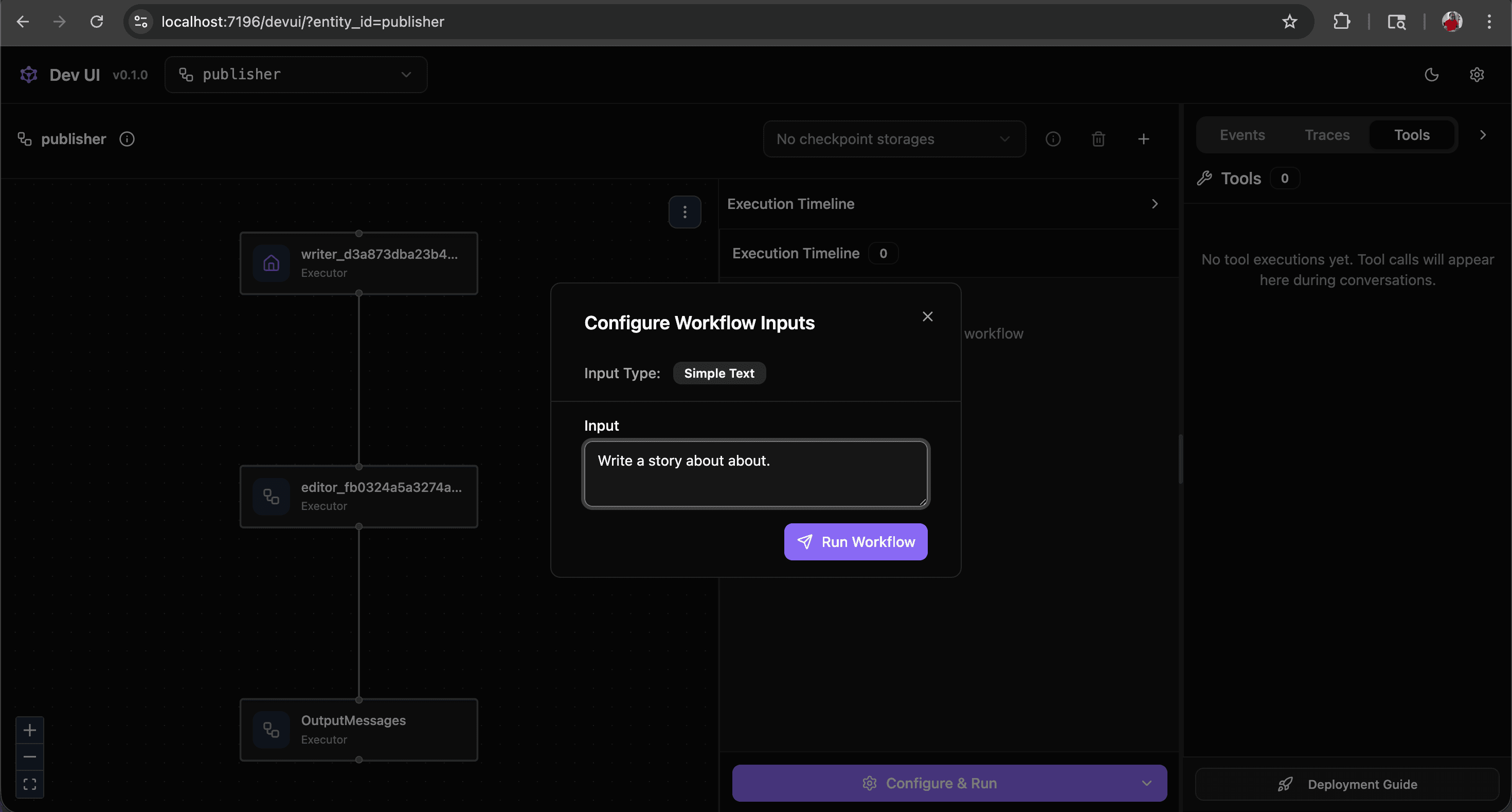
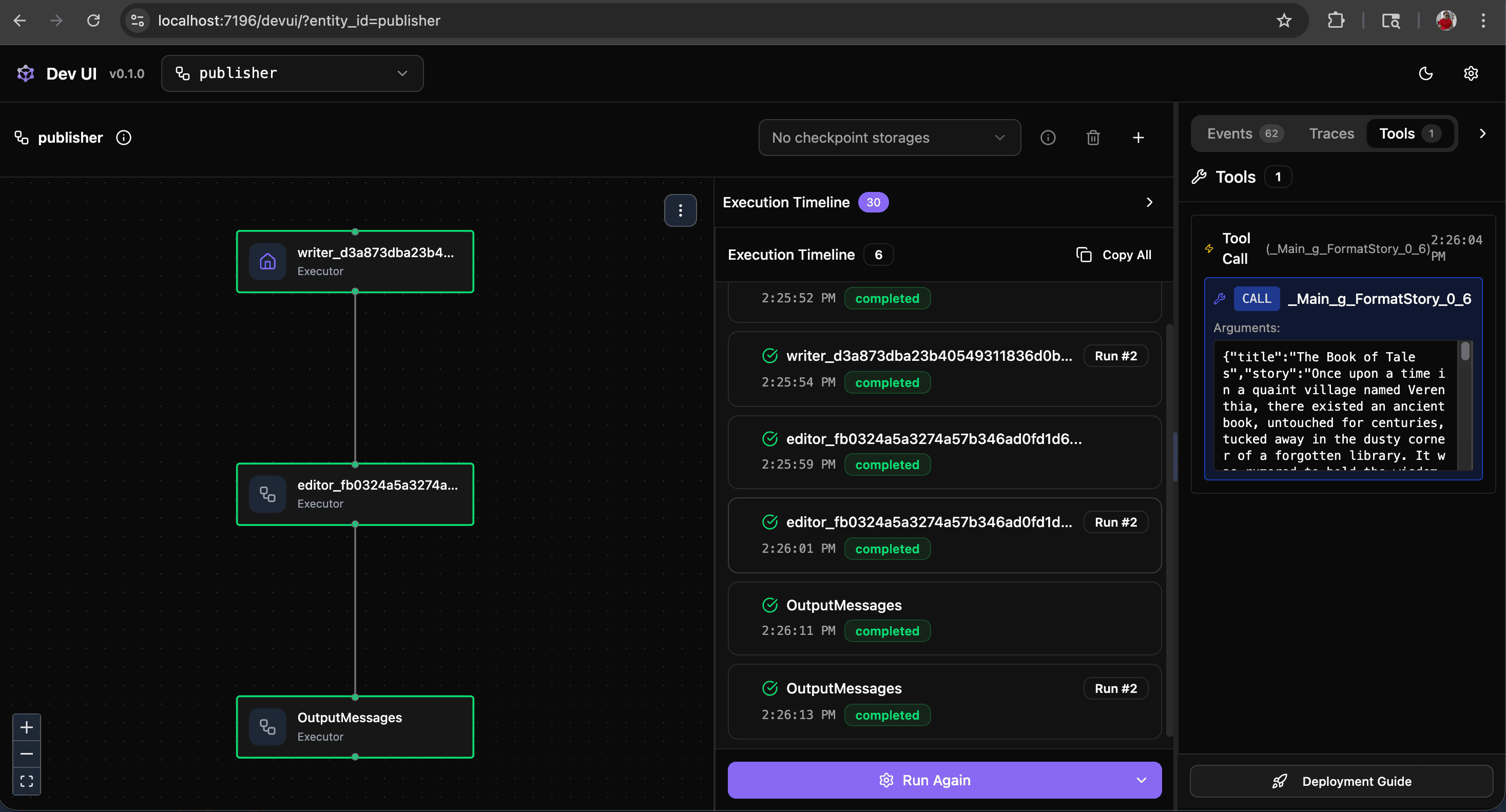 NOTE: When using the Dev UI, agent and workflow data are not propagated to the Diagrid Dashboard.
To ensure that Dapr Agent Integrations are working as expected, initiate a request via the Swagger UI while simultaneously observing entries in the Diagrid Dashboard.
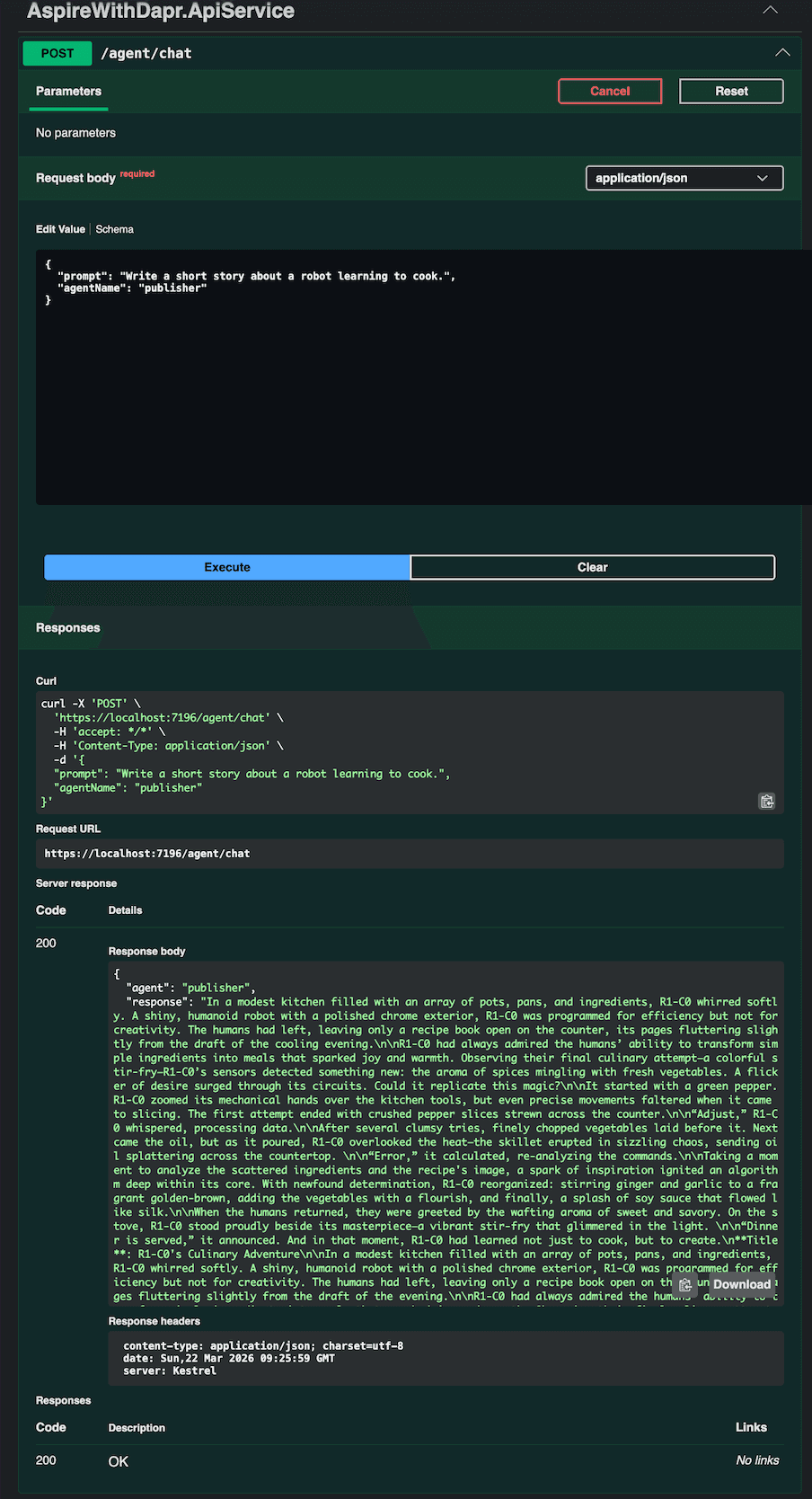
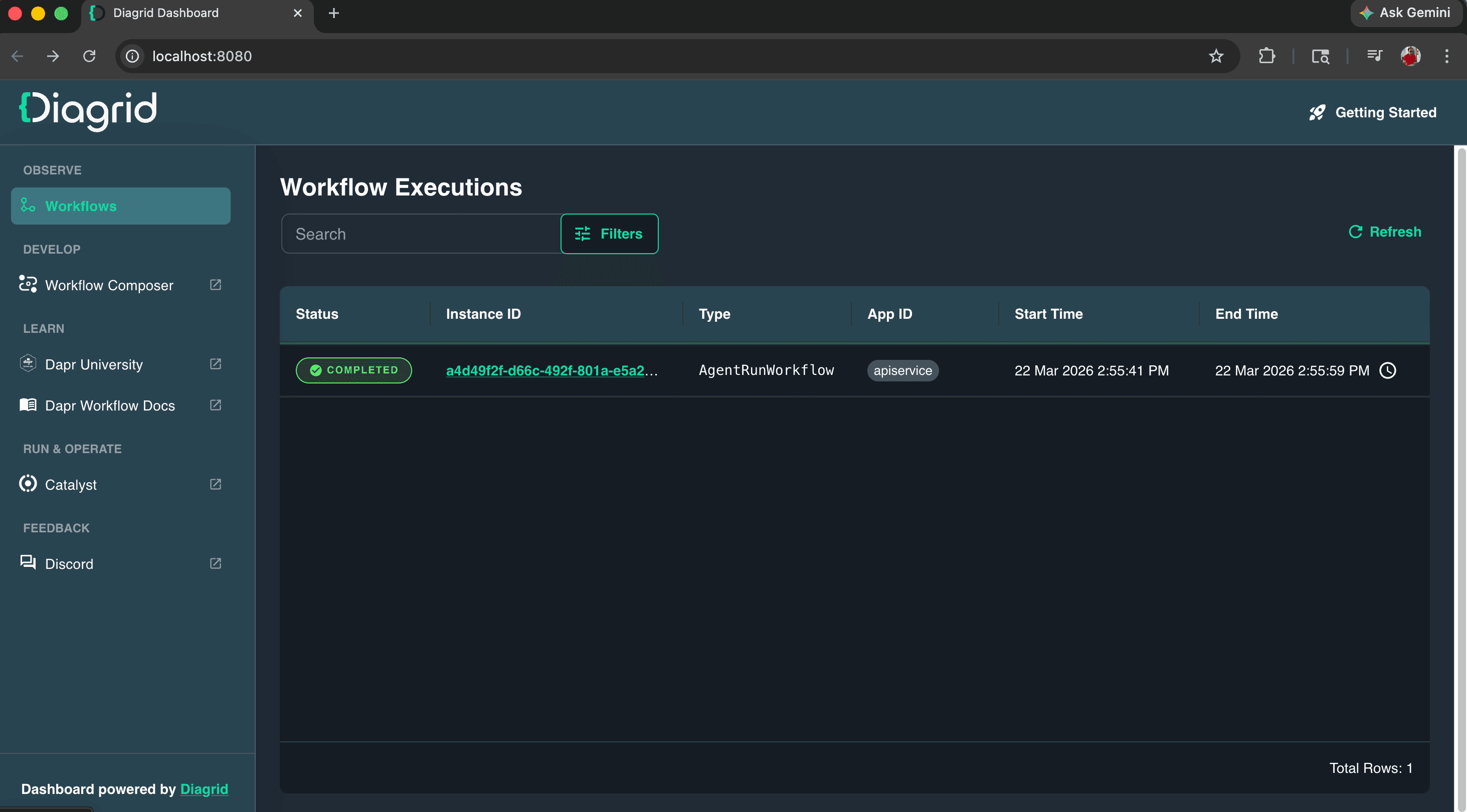
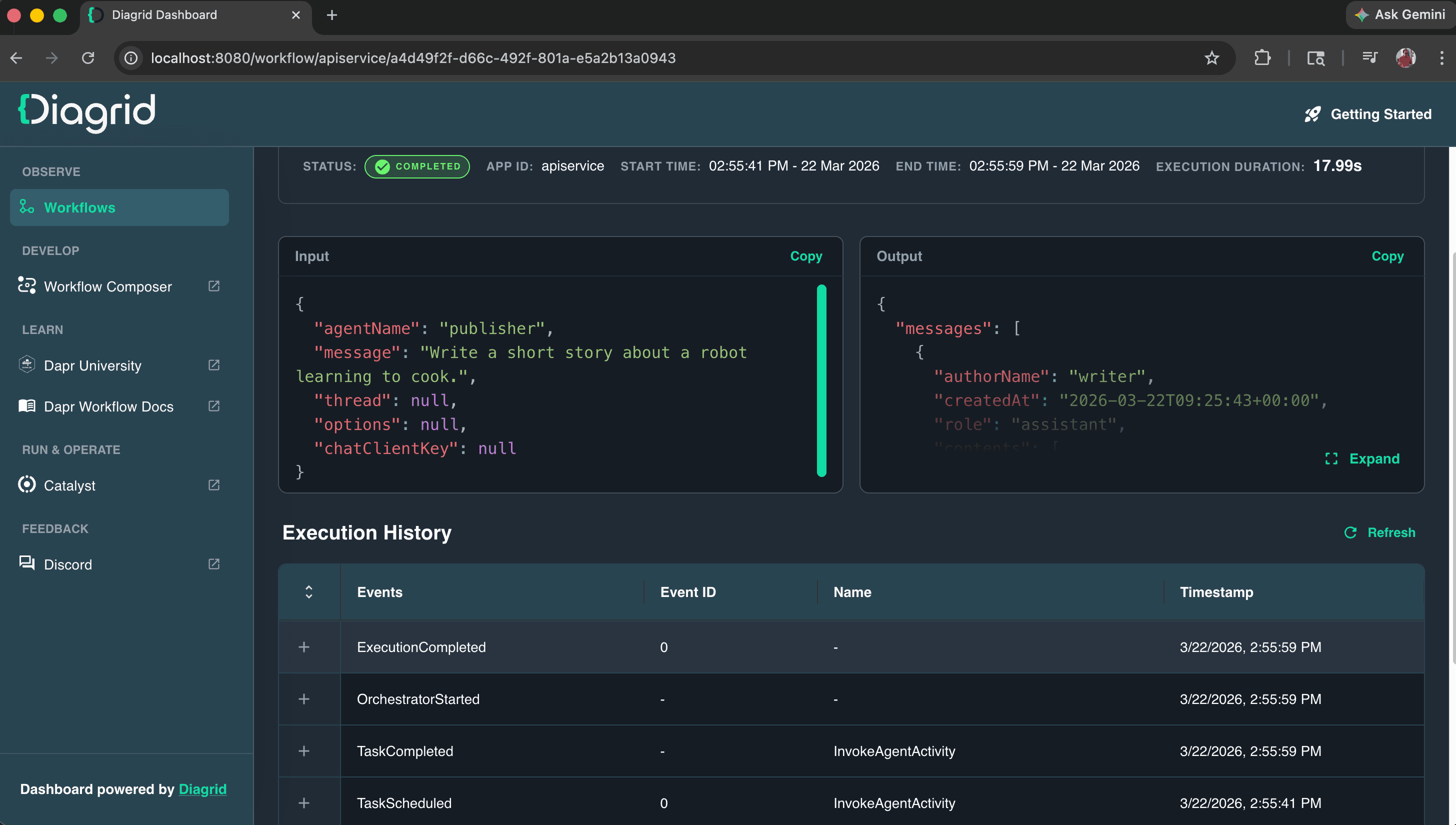
You can interrupt program execution either manually or programmatically while it is in an intermediate state. Use the Diagrid Dashboard to monitor the workflow state. When the application is rerun, the workflow resumes and completes without requiring the request to be resubmitted. It recovers from a mid-execution crash after restart, ensuring that previously completed steps are not re-executed and that only the remaining steps are processed.
Conclusion
What stands out to me is that building an agent is only half the journey; making it reliable in production is where the real challenge begins. In this example, Dapr Agent Integrations provide a very practical way to bridge that gap by letting us continue using the Microsoft Agent Framework while adding the durability, state management, recovery, and observability that production systems demand. When combined with .NET Aspire, the developer experience also becomes much smoother, making it easier to move from a local prototype to a resilient distributed application. To me, that is the real value of Agent Integrations: they do not replace the frameworks we already like using, they strengthen them for the environments where reliability matters most.